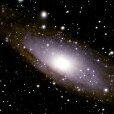
padreman Posted December 26, 2020 Posted December 26, 2020 So today, the day after Christmas Day, I have decided to uninstall all my VR content and to sell my oculus headset. Hopefully, I'll get a good price from it. My plan is to use the money to buy some items for my other hobby, astrophotography. My goal is to check in on this journal at least 5x per week for the next 90 days. This detox is part of a larger battle with 4 other addictions. This is nestled in a much larger battle of dealing with past trauma. But I feel blessed because I am not giving up, by God's grace alone. This is also my Christmas gift to myself. Feel free to join me or comment. 2
Bugg Posted December 26, 2020 Posted December 26, 2020 Good luck! I’m not quite there yet on my journey but I’m sending positive vibes and well wishes your way 🙂 1
TheNewMe2.0 Posted December 27, 2020 Posted December 27, 2020 Yes good luck. Glad you're here. Enjoy that astrophotography.

Recommended Posts
Create an account or sign in to comment
You need to be a member in order to leave a comment
Create an account
Sign up for a new account in our community. It's easy!
Register a new accountSign in
Already have an account? Sign in here.
Sign In Now